
This article provides step-by-step instructions for viewing the date and time of your last successful login and accessing a detailed log of all successful logins in the VIDIZMO portal. You can see your Last Successful Login, including the dates and times your VIDIZMO account was used. Furthermore, you can view the login account history logs, where you can also see the IP address used to access your account.
Prerequisites
- You must be logged in to your VIDIZMO account.
View Your Last Login
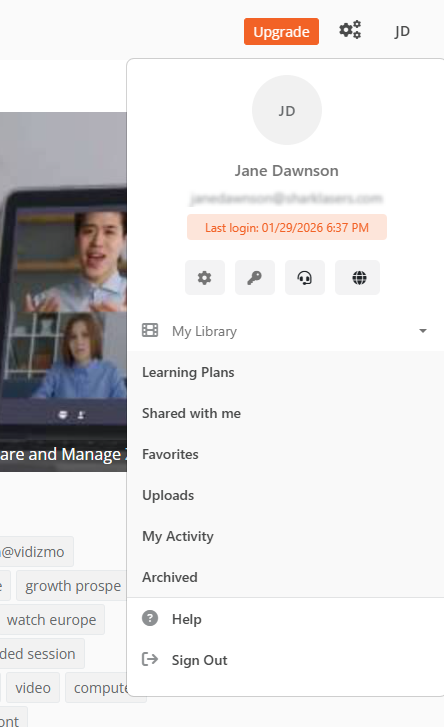
- From the Portal's Homepage, select the User icon in the top right corner.
- In the panel that opens, your last login date and time is displayed.
View Your Login Activity
- From the Portal's Homepage, select the User icon in the top right corner.
- In the panel that opens, select the Manage Profile icon (gear/settings icon).
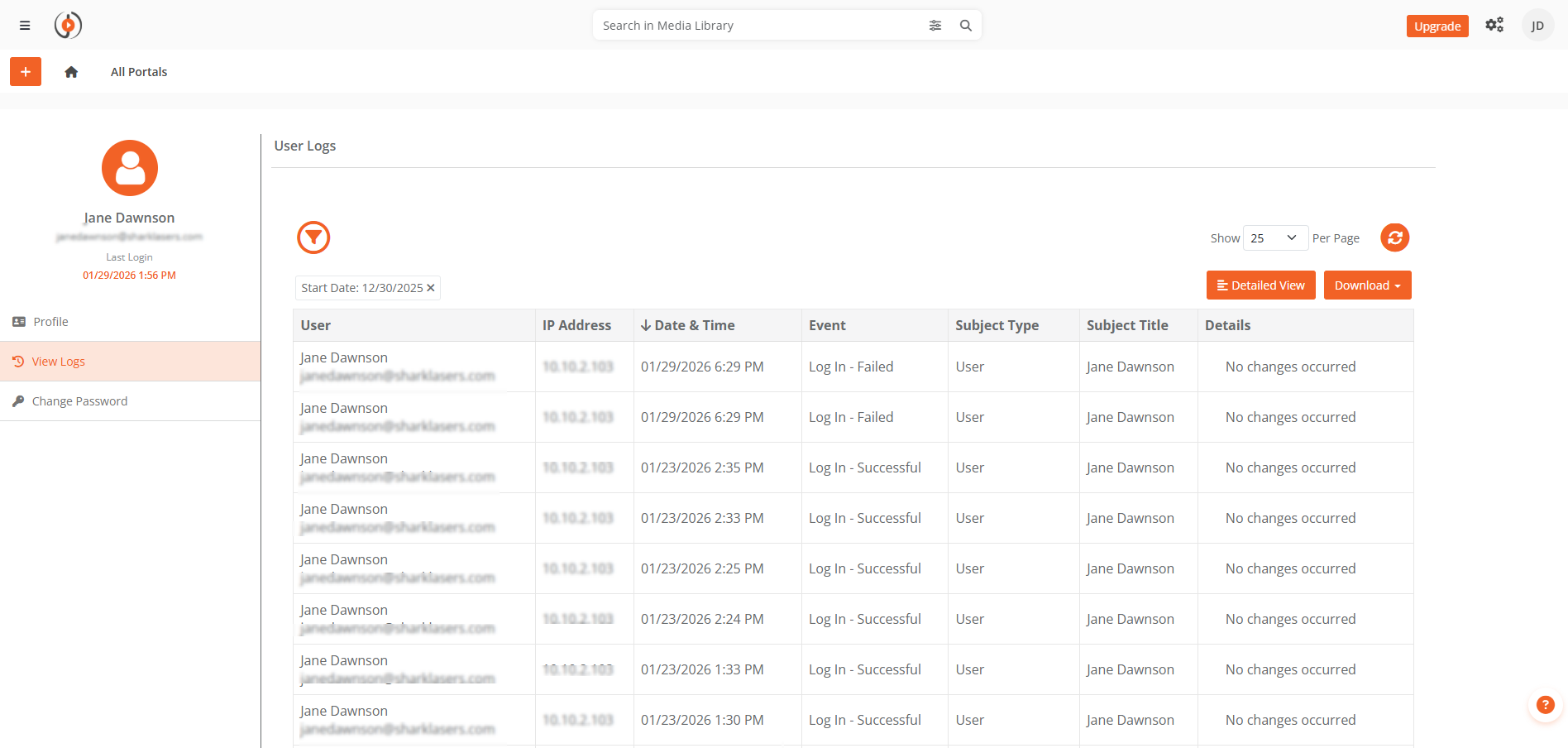
- On the Manage Profile screen, select View Logs from the left menu.
The User Logs screen displays your login history including:
- IP address
- Date and time
- Event type
- Subject type and title
Filter Logs
Use the filters to refine your logs by:
- IP address
- Event type
- Date range
After selecting filters, select Apply to display the filtered results.
Export Logs
To download your login activity:
- Select Download.
- Select your preferred format:
- Export to PDF
- Export to CSV
The logs are downloaded in your selected format.